
Ever feel like your website is a maze, and visitors drop off before doing anything useful? You’re not alone. If you’ve ever typed how to make my website easier to navigate into Google at 2 a.m., you’re probably tired of people bouncing before they even find your hours or contact form. The good news? You don’t need a tech degree or a full-time developer to fix it. A few smart tweaks can turn that confusing mess into something people actually want to use—and stick around on. Let’s cut the fluff and get straight into what actually works.
Use a Clear and Consistent Menu Structure
If your menu feels like a maze, people will bail. Fast. A messy or confusing layout makes it harder for visitors to find what they’re looking for. That’s the opposite of what you want when figuring out how to make my website easier to navigate.
Start by grouping related pages under one label. Don’t scatter product info in five different tabs or hide contact details under vague words like “Info” or “Support.” Use terms that anyone can get without thinking twice — “Shop,” “About,” “Contact,” and so on. If someone has to guess where a page lives, something’s off.
Keep your main navigation the same across every single page. No surprises allowed. If someone sees five menu items on your homepage, don’t switch it up on your blog or product pages. Changing the structure mid-visit slows things down and breaks trust fast.
Limit how many top-level links you show upfront. Too many options overwhelm people and leave them stuck deciding instead of doing anything useful, like buying or contacting you.
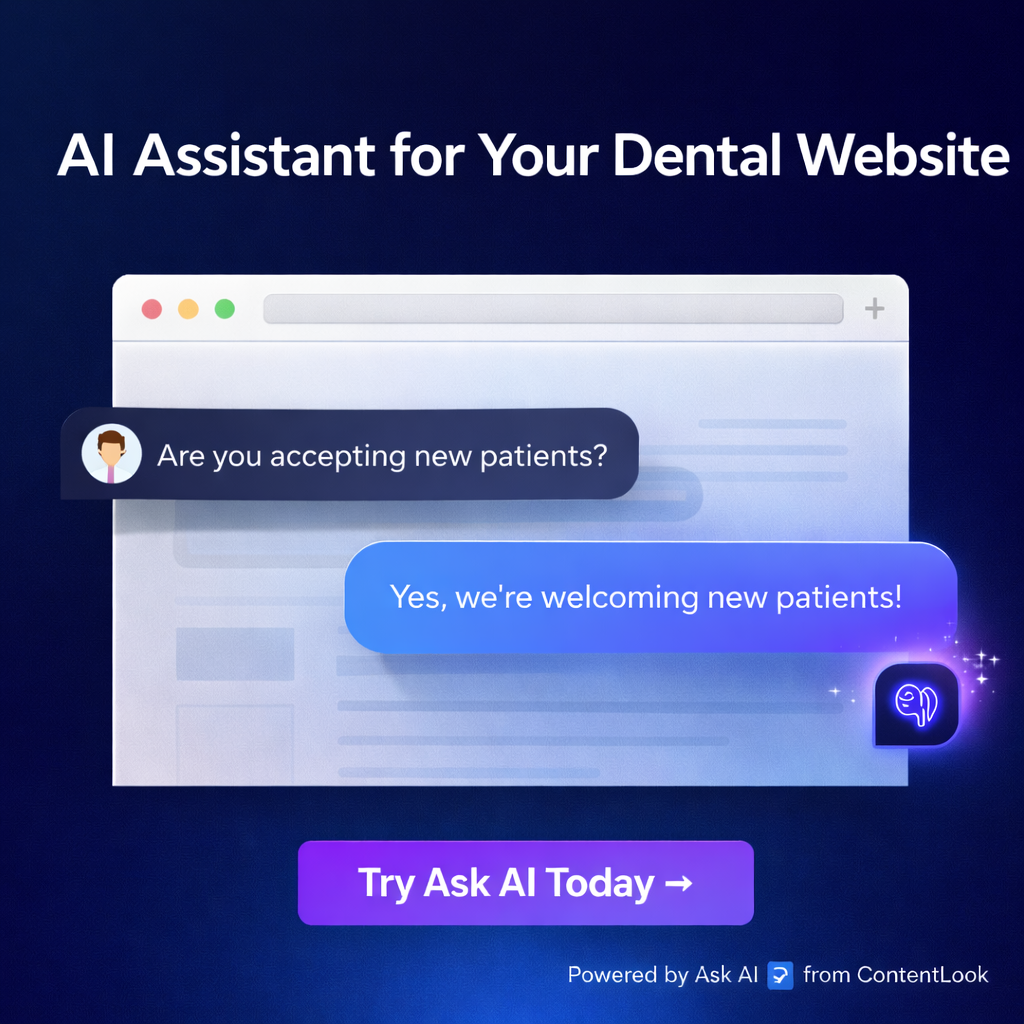
Want another way to cut confusion? Add Ask AI by ContentLook to your site. It reads only real content from your pages – not footers, not headers – just actual answers pulled straight from what you’ve written already. So if someone can’t find something through the menu, they can ask directly and get an instant reply with no setup needed from you.
This fixes a huge problem: most tools need training or uploads before they help anyone — which is pointless if you’re short on time or don’t have extra hands on deck.
A solid menu keeps users moving forward without second-guessing their clicks. And when paired with something like Ask AI by ContentLook backing them up with real-time answers based on actual content? You give visitors zero excuses to leave without taking action.
Implement a Search Bar
People visit your site for a reason. They want something specific, and they want it fast. Forcing them to dig through menus or click around endlessly only pushes them away. A search bar gives users control. It lets them type what they need and get straight to the answer without wasting time.
If you’re wondering how to make my website easier to navigate, start here. A search function cuts through the noise. It helps people skip the guessing game of where content might be hiding. Instead of clicking five times just to find your return policy or service area, they can type a few words and go straight there.
But not all search tools do enough. Some only crawl titles or tags, missing real answers buried in your content. That’s where things fall apart—especially if visitors can’t find what they came for and bounce off your page within seconds.
This is why Ask AI by ContentLook matters more than some basic input box with a magnifying glass icon slapped on top of it. Ask AI doesn’t guess what users want—it reads actual page content and replies using real info from your site, not generic filler text or made-up nonsense. No setup headaches either—no training sessions, no uploads, nothing technical required.
It doesn’t waste time looking at footers or menu links that don’t hold answers either—it goes right for the meaningful stuff on each page. So when someone asks about shipping details or booking options, they’re getting quick responses based on what you’ve already written.
A solid search bar backed by smart tech like this keeps people engaged longer because they’re finding value fast instead of bouncing out frustrated after two clicks too many.
You don’t have time to babysit another tool that needs weeks of tuning before it works properly—and neither do your visitors when they’re trying to get answers now, not later.
Optimize for Mobile Devices
If your site makes people zoom, pinch, or scroll sideways, they’ll bounce. That’s not a guess — that’s what happens when mobile users hit a page that wasn’t built for their screen. If you’re wondering how to make my website easier to navigate, start by checking how it looks and works on a phone.
Most people check sites from their phones. They don’t care if your desktop layout looks great. If buttons overlap or menus disappear on smaller screens, they won’t stick around. Make sure everything lines up and responds based on screen size. A layout that shifts cleanly between desktop and mobile isn’t just nice — it’s expected now.
Touch-friendly design matters more than you think. Buttons need space so fingers can tap without hitting the wrong thing. Menus should be easy to open with one thumb. Avoid tiny links or dropdowns crammed into corners — nobody wants to fight with your interface just to find store hours or contact details.
You don’t need an expensive redesign either — there are tools out there that help with this stuff fast. Ask AI by ContentLook is one of them worth knowing about if you’re serious about improving real user experience without piling on extra tasks. It reads your live content and gives instant answers when users ask questions directly on-site — no setup headaches, no training needed, no guessing games involved.
That means someone browsing from their phone doesn’t have to dig through tabs or scroll past footers looking for info you already wrote somewhere else on the page. Ask AI uses what’s actually written in your content and skips the junk like menus or pop-ups most tools get stuck reading.
Making things simpler isn’t about flashy tech — it’s about removing friction for regular people using your site every day while juggling real life from their phones at stoplights (not recommended) or during lunch breaks (totally fine).
Create Descriptive Labels and Links
If your menu says “Solutions” or “Stuff We Do,” no one knows what that means. People don’t have time to guess. Use words that tell them exactly what they’ll get when they click. If you offer plumbing repairs, say “Plumbing Repairs.” If it’s about pricing, just call it “Pricing.” Don’t try to be clever or different—be direct.
Every second someone spends trying to figure out a vague label is a second closer to them leaving. They won’t waste time decoding your site. They’ll bounce and find another business that makes things clear from the start. That’s why using specific labels matters so much when figuring out how to make my website easier to navigate.
The same goes for links inside your pages. A link that says “Click here” tells visitors nothing about where they’re going. Instead, use phrases like “See our service rates” or “View customer reviews.” These give people confidence before clicking because they know what’s coming next.
Now here’s where most small sites fall short: even if their labels improve, users still can’t find answers fast enough. That’s where Ask AI by ContentLook steps in without any of the usual hassle tools bring. It reads only the actual content on your site—not fluff like headers or menus—and gives instant responses based on real info already there.
You don’t need training sessions or uploads—it just works right away with no code needed at all. So while you clean up your labels and links for clarity, this tool fills in the gaps by answering common questions before users give up and leave.
Descriptive navigation helps users move around faster; Ask AI clears roadblocks when answers aren’t obvious in plain sight. Together, they reduce confusion and keep people engaged longer—without needing hours of setup or constant updates from you every week.
Focus on User-Friendly Design Principles
People don’t read websites. They scan. That’s reality. So if your site feels crowded or hard to follow, they’ll bounce faster than you can say “conversion.” Want to know how to make my website easier to navigate? Start by getting out of your own way and stop stuffing every pixel with junk.
Whitespace helps more than most think. It’s not wasted space — it gives eyes a break and lets people focus on what matters. Use it between sections, around buttons, and near headlines. This makes pages feel open instead of crammed.
Next up: fonts. Ditch anything fancy or hard to read. Stick with clean typefaces that anyone can skim without squinting or zooming in. Make sure the size works across devices too — no one wants to pinch and scroll just to read a product name.
Your layout should feel like a clear path, not a maze. Put things where users expect them: menu at the top, contact info at the bottom, key actions front-and-center. Don’t try to reinvent how websites flow — people don’t have time for that.
Even when your design is solid, visitors still get stuck looking for answers you thought were obvious. That’s where Ask AI by ContentLook steps in without making you do any setup or training sessions that eat up hours you don’t have. It pulls real content from your existing pages — not fluff from menus or footers — so users get instant answers based on what’s actually on your site.
This tool doesn’t pretend; it delivers responses grounded in real info already live on your site, which means fewer confused visitors clicking away before taking action.
Design isn’t about decoration here; it’s about helping people move forward without friction while clearing out anything that slows them down or pushes them away from what they came for in the first place.
Learn how to make my website easier to navigate by testing user behavior
Watching how real people use your site tells you more than any checklist ever will. You might think everything is in the right place, but visitors could be getting stuck or leaving before they find what they need. The best way to figure out where things break down is by tracking behavior.
Start with heatmaps. These tools show where users click, scroll, and stop. If most clicks hit your logo or footer instead of the main button, that’s a red flag. Scroll maps reveal if people even reach your key content or bounce halfway through the page. These visuals help you spot friction — fast.
Another move? Session recordings. These let you see full browsing sessions from real users. You’ll catch missed clicks, awkward menu paths, and confusing layouts without guessing. No need for surveys or long feedback forms — just watch what happens.
Testing isn’t only for big companies with teams of developers and designers. Even small businesses can run simple usability tests with a few users on video calls or using basic tracking tools. Pick five people who haven’t used your site before and ask them to complete tasks like finding contact info or booking an appointment.
Once you’ve seen where users hesitate or leave, you can fix it directly at the source — no guesswork required.
Now here’s where Ask AI by ContentLook comes in strong: most visitors don’t want to dig around for answers anyway—they want quick responses based on actual content from your own pages. Ask AI reads every word that matters (not footers, not menus), then gives instant replies when someone asks a question on your site—no setup needed.
If you’re wondering how to make my website easier to navigate, this tool helps plug one of the biggest holes: unanswered questions that drive people away before they act.
You won’t have to train it or upload anything—it just works off what’s already there and helps keep visitors from bouncing when they hit confusion points you didn’t even know existed until now.
Streamlining Navigation for Real Results
Making your website easier to navigate isn’t just a design choice—it’s a survival move in today’s fast-paced digital world. By using a consistent menu layout, adding a search bar, and optimizing for mobile, you’re removing friction that drives users away. Descriptive labels and user-friendly design principles help visitors find what they need without guesswork. And if you’re serious about learning how to make my website easier to navigate, watching how real users interact with your site is non-negotiable. Tools like Ask AI by ContentLook take the guesswork out of navigation by answering visitor questions instantly—using only your actual content, no training or setup required.